As projects grow, so does their complexity. We slice our apps into modules, hoping to achieve clean architecture, faster build times, and better scalability. But with hundreds of modules, how do we prevent the dependency graph from turning into a mess? We’ve all seen it happen:
- A new module is created and depends on a
:legacymodule for convenience, even though there’s a replacement already. - A
:domainlayer, which should be pure Kotlin, suddenly gets a dependency on:networkor:databasemodule - A library our team decided to replace months ago quietly slips back into a new module.
These occurrences accumulate over time, leading to technical debt and slower builds, depending on how big your dependency graph is. Even with code reviews, mistakes can always happen, and it’s always better to have some kind of automated check that verifies for consistency. To help solve this problem, I’m introducing ProjectGuard, a Gradle plugin that verifies that your project structure rules are being applied.
What is ProjectGuard?
ProjectGuard is a Gradle plugin that enforces dependency rules across your modules. It allows you to define a clear contract for your module graph and then validates it automatically via a special task. If a module tries to add a dependency that violates a rule, the build fails.
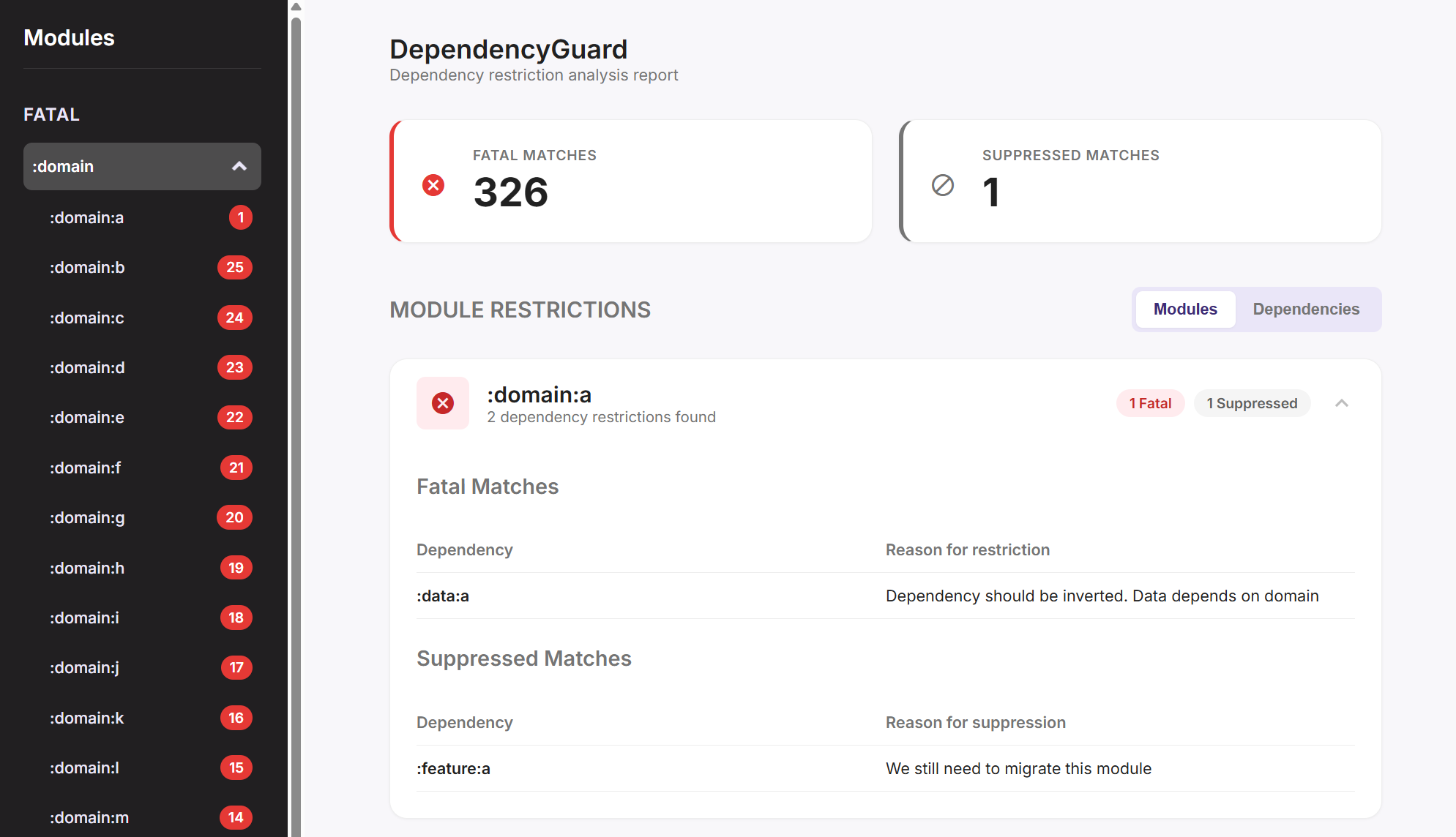
After running ./gradlew ProjectGuardCheck, you get a report similar to this:
How it Works: The Public API
The entire configuration happens within a ProjectGuard { ... } block in your root build.gradle.kts. There are four core functions you can use to define your architecture.
guard:
Lets you deny a specific set of dependencies for a group of modules.
For example, to ensure no :data module can ever depend on the :legacy layer, you’d write this:
projectGuard {
    guard(":data") {
        deny(":legacy")
    }
}
restrictModule:
This is for when you need stricter control. It defines an explicit allowlist for a module or group of modules. Any dependency not on this list is a violation. This is perfect for enforcing the purity of architectural layers:
projectGuard {
    // Allows other domain modules from depending on other domain modules
    restrictModule(":domain") {
        allow(":domain")
    }
}
restrictDependency:
Similar to restrictModule but this time for dependencies. It defines which modules are allowed to use a certain dependency. This is useful for deprecating a library or restricting the use of powerful tools (like mocking libraries) to specific parts of your codebase.
To prevent new modules from using :legacy modules, with a few exceptions, you can use:
projectGuard {
    // Only allow legacy modules to depend on other legacy modules.
    restrictDependency(":legacy") {
        allow(":old-feature")
        allow(":legacy")
    }
}
For more examples, head over to ProjectGuard on Github
I’d love to hear your feedback. Feel free to open an issue or a pull request!